Your phone is usually the villain of bedtime: the late notification, the glowing screen, the "one more video". But the same phone has free, built-in settings designed to do the opposite: silence the noise, dim the light, play calming sound and shut everything off on time. This guide walks through the ones worth turning on tonight, on iPhone and Android, and how to combine them into a simple bedtime setup.
Quick answer
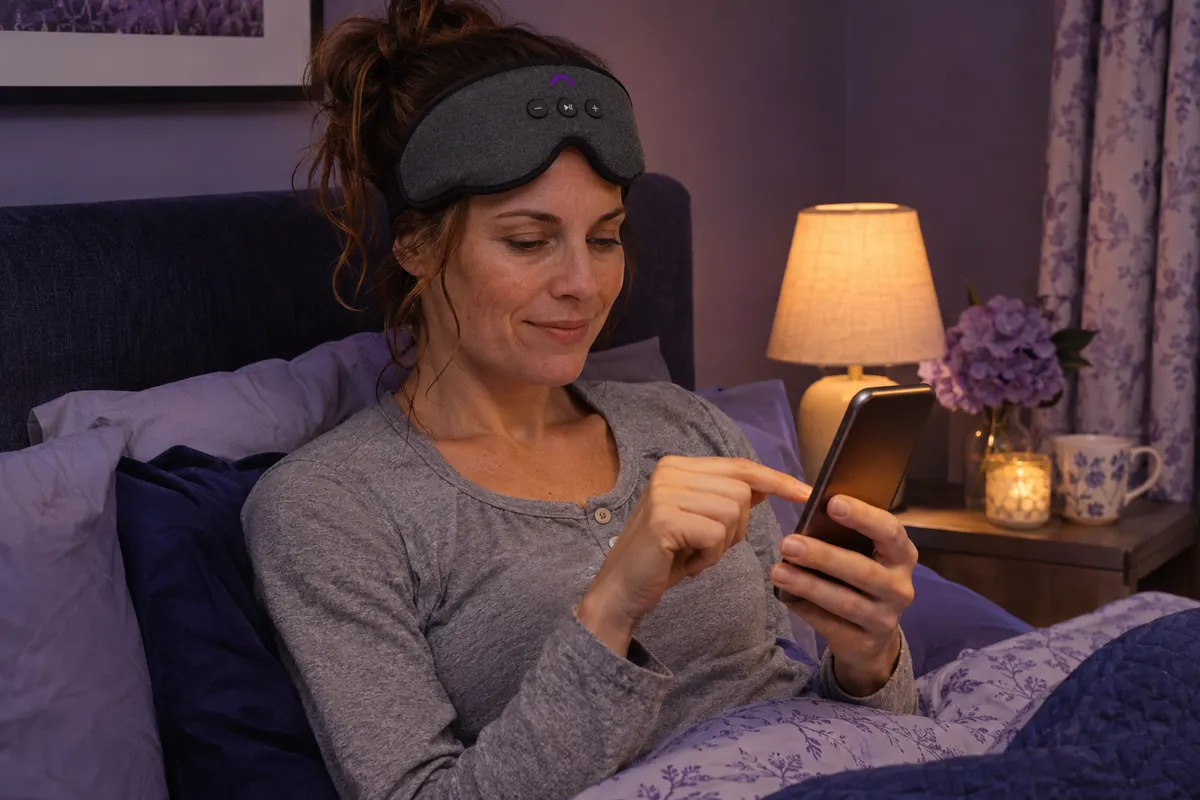
Turn on Sleep Focus (iPhone) or Bedtime mode (Android), schedule it with a wind-down period, warm up the screen with Night Shift or a night light filter, and set a timer so sounds stop on their own. These settings are free and already on your phone. They work even better when the phone itself is out of your eyes: pair them with a sleep mask that has built-in speakers, like the AURA Bluetooth Sleep Mask, and your phone becomes a quiet sound source on the nightstand instead of a screen in your hand.
The unexpected link: your phone settings and your sleep
Most people think of sleep as something that happens in the bedroom, not in a settings menu. But the last 30 minutes before bed are mostly shaped by your phone: what pings, how bright the screen is and whether something is still playing at 2 a.m. A few switches change all three, without buying anything.
The goal is simple: fewer interruptions, less bright light late at night, and sound that stops on its own. Here is how to get there.
1. Sleep Focus on iPhone
Sleep Focus silences calls and notifications at night and can turn on automatically on a schedule. On most recent iPhones you find it under Settings > Focus > Sleep, and you can link it to a sleep schedule (bedtime and wake-up time) so it switches itself on every night. Apple explains the steps in its iPhone User Guide.
- Allow only real emergencies: add a few favorite contacts who can still reach you.
- Use Wind Down: a period before bedtime when the phone dims the Lock Screen and quiets distractions, a gentle cue to put it down.
- Choose a calm Lock Screen for Sleep Focus so you are not tempted by widgets.
2. Bedtime mode on Android
On many Android phones, Bedtime mode lives in Settings > Digital Wellbeing & parental controls. It can turn the screen grayscale, switch on Do Not Disturb and dim the wallpaper on a schedule or while the phone charges. On Samsung phones, look for a Sleep mode under Modes and Routines. Menu names vary by brand and version, so search "bedtime" in your settings if you cannot find it.
Grayscale is the underrated part: a gray screen is simply less interesting, which makes it easier to stop scrolling.
3. Night Shift and night light filters
Night Shift on iPhone (Settings > Display & Brightness > Night Shift) and the night light or eye comfort filter on Android warm up the screen colors in the evening. Turn the brightness down too. A warmer, dimmer screen is easier on tired eyes, but the bigger win is still putting the phone away. Our guide to blue light, melatonin and sleep explains why light at night matters.
4. Background Sounds and sleep sounds
iPhone has built-in calming sounds such as rain, ocean and balanced noise under Settings > Accessibility > Audio & Visual > Background Sounds, with an option to stop them on a timer. Many Android phones offer sleep or ambient sounds in the Clock app or in accessibility settings, and you can also use a music or podcast app you already have. Not sure which sound to pick? Our comparison of white, pink and brown noise for sleep helps you choose.
5. A sleep timer so nothing plays all night
On iPhone, the Clock app's Timer has a When Timer Ends > Stop Playing option that stops music, podcasts or audiobooks after the time you choose. Many music and podcast apps also have their own sleep timer. Set 30 to 60 minutes: long enough to drift off, short enough that audio does not keep pulling you out of deeper sleep later.
6. Do Not Disturb with exceptions
If you prefer not to use a full Focus or Bedtime mode, plain Do Not Disturb on a schedule does most of the work. Allow repeated calls (on iPhone, a second call from the same person within a few minutes can come through) so a real emergency still reaches you.
7. Screen-time limits for late-night apps
Screen Time on iPhone (Downtime and App Limits) and Digital Wellbeing on Android (app timers) can block your most tempting apps after a set hour. Think of it as a polite bouncer for the video app you always open "for five minutes".
8. A gentle wake-up alarm
A softer alarm sound and a fixed wake-up time every day are as important as bedtime. On iPhone you can set the alarm inside the Sleep schedule in the Health app; many Android Clock apps include a Bedtime tab with a gentle wake-up option. A consistent wake time is one of the most reliable ways to make falling asleep at night easier.
Your one-page bedtime setup
| Setting | iPhone | Android | What it does |
|---|---|---|---|
| Sleep mode | Focus > Sleep | Digital Wellbeing > Bedtime mode | Silences the night |
| Warm screen | Night Shift | Night light / Eye comfort | Softer evening light |
| Calming sound | Background Sounds | Clock or accessibility sounds | Masks small noises |
| Auto-stop | Clock > Timer > Stop Playing | App sleep timer | Nothing plays all night |
| App limits | Screen Time | App timers | Ends late scrolling |
| Wake-up | Health > Sleep schedule | Clock > Bedtime | Same wake time daily |
Menu names change between phone models and software versions, so if a path does not match, search the setting name in your phone's settings.
What most people get wrong
- Keeping the phone in their hand. Even with every filter on, holding the phone in bed keeps the brain engaged.
- Earbuds for sleep sounds. Hard earbuds press into the ear when you lie on your side and often fall out at night.
- The phone speaker on max. Loud enough to cover the street is also loud enough to bother a partner.
- No auto-stop. Audio that plays until morning can interrupt sleep later in the night.
That is exactly where a Bluetooth sleep mask fits: the phone stays on the nightstand with all these settings on, the sound plays softly right over your ears, and the room goes dark. Our guide to sleeping with Bluetooth headphones or a sleep mask covers the safety questions.
Our recommendation: the AURA Bluetooth Sleep Mask
Your phone settings handle the notifications, the light and the timer. To finish the job, the AURA Bluetooth Sleep Mask is the tool we recommend: it turns the phone into a quiet sound source on the nightstand and blocks the light in the room, so the only thing left to do is close your eyes.
- Complete darkness: a 3D contoured blackout shell that leaves your eyelids free, about 24 grams.
- Sleep sounds right over your ears: ultra-thin speakers inside the band play Background Sounds, rain, brown noise or a podcast from your phone, side-sleeper friendly and quiet for your partner.
- Works with your phone's timers: Bluetooth 5.4, front buttons for volume and pause, plus its own 1 to 2 hour auto-shutoff.
- Built for nightly use: up to 10 hours per charge, and the electronics slide out so the fabric can be hand-washed.
- Risk-free: a 90-day money-back guarantee plus a 1-year warranty, shipped from a US warehouse.
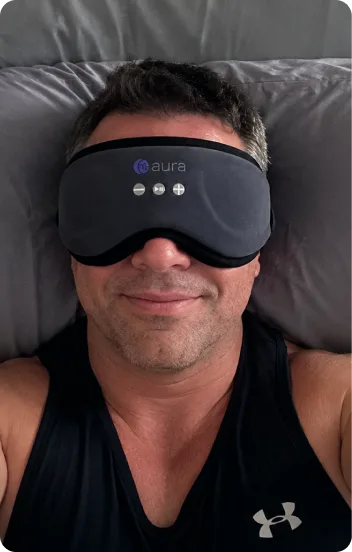
It is rated 4.8/5 across more than 17,000 verified customer reviews on the official store. With promo code SLEEP26 (50% off), a single mask is $59.99, a 2-pack is $53.99 per mask and a 3-pack is $47.99 per mask. See the packs side by side on the AURA overview page, or read our full AURA review.
Frequently asked questions
How do I turn on Sleep Focus on iPhone?
On most recent iPhones, go to Settings > Focus > Sleep. You can turn it on manually or link it to a sleep schedule so it starts at bedtime every night, with an optional Wind Down period beforehand.
What is Bedtime mode on Android?
Bedtime mode, usually under Settings > Digital Wellbeing & parental controls, silences notifications with Do Not Disturb and can turn the screen grayscale and dim the wallpaper on a schedule. Samsung phones offer a similar Sleep mode under Modes and Routines.
Does Night Shift help you sleep?
Night Shift makes the screen warmer and easier on the eyes in the evening. It helps a little, but dimming the screen and putting the phone away before bed matter more.
How do I stop music playing all night on my phone?
On iPhone, open Clock > Timer, choose When Timer Ends > Stop Playing and set 30 to 60 minutes. Many music and podcast apps also have a built-in sleep timer.
Can I use my phone's Background Sounds with a sleep mask?
Yes. A Bluetooth sleep mask such as AURA connects to your phone like headphones, so iPhone Background Sounds, sleep sound apps, music or podcasts play through the thin speakers in the band.
Is it bad to sleep with my phone next to the bed?
Keeping it on the nightstand with a sleep mode on and the screen face down is fine for most people. The problem is using it in bed; set it up before you lie down and leave it alone.